Meski ini mungkin udah termasuk berita yang udah lama banget,hampir kadaluarsa,tapi,setelah gwa coba2 cara yang gwa cari2,dan ternyata cara inilah yang tepat,,dan ini bener2 berhasil,gwa rasain sendiri perbedaannya,lebih maknyus meskipun cman 25%,tapi bener2 mending daripada sebelumnya.
Ada beberapa tahapan2 yang harus dilakukan untuk mengoptimalkan perubahan ini,so,baca ampe akhir terus dipelajarin yah..hehe..
Oke,langsung aja.
Pertama,buka MF kalian.
1. Ketik about:config di adress bar.
2. Buat entries baru,klik kanan dimana aja,pilih new - boolean
browser.tabs.showSingleWindowModePrefs klik Ok dan beri nilai true.
3. Edit entries berikut
Entries / Nilai atau Valuenya
network.http.max-connections / 48
network.http.max-connections-per-server / 16
network.http.max-persistent-connections-per-proxy / 8
network.http.max-persistent-connections-per-server / 4
network.http.pipelining / true
network.http.pipelining.maxrequests / 100
network.http.proxy.pipelining / true
network.http.request.timeout / 300
4. Exit Firefoxnya.
Kedua Modifikasi Regedit.
1. Buka menu Run ketik regedit,lalu pilih
HKEY_LOCAL_MACHINE,
Kemudian pilih software/Microsoft/Windows/CurrentVersion/Explorer/RemoteComputer
2. Kalo udah,hapus ke-2 entri yang ada (klik kanan pda entrinya trus delete)
"{2227A280-3AEA-1069-A2DE-08002B30309D}" = Printer sharing & Remote Machine
"{D6277990-4C6A-11CF-8D87-00AA0060F5BF}" = Remote scheduled tasks
3. Exit,restart komputer.
Ketiga Modifikasi GroupPolicyEditor(gpedit).
1. Buka Menu Run ketik gpedit.msc
2. Pilih Computer
Policy/Computer Configuration/Administrative Templates/Network/QOS Packet Scheduler/LimitReservable Bandwidth
Double Klik,terus pilih opsi enable dan ubah nilainya menjadi 0%(defaultnya 20%).
3. Exit.
Keempat (tambahan).
Pake Software TCPOptimizer,anda beruntung sekali,karena apa,software ini sudah saya sertakan di postingan ini(bilang apa?,makasi..hehe)..
Kalo udah didownload,trus buka tu software.
1. Pilih opsi Custom Setting (dipaling bawah).
2. Pada Opsi Connection Speed,geser ke kanan ampe pol (20000).
3. Kalo udah,,apply changes dan exit.
After All, rasakan perbedaannya..
Download TCPOptimizer Here
Boost Firefox Speed ( 25% Faster)
Increase Blog Traffic With Z-List
You have started a blog and added content. You have submitted blog to the search engines. You have added counters to count your blog traffic. However you are not satisfied with the amount of visitors. Need to increase traffic to your blog and links try the Z-List......... Shotgun Marketing Blog
The Z-List is a concept started in December 2006 by Mack Collier from A Viral Garden as a meme. A meme is a "unit of cultural information" which can propagate from one mind to another in a manner analogous to genes. The Z list is a blog meme, which has bloggers creating and sharing a list of many links to blogs in a single post.
If you wish to participate you should copy and paste a list of blogs in a post and include those blogs that you think should get more exposure. It is called the Z-list
because it is a list of blogs not having much traffic in contrast to the A-list blogs. By publishing this list you will increase your Technorati Rank, Google Page Rank, get more traffic and more friends.
After you post this list in a post this will get reflected in Technorati and blog owners who check up on who is linking to them will find out about it and will come over to visit your blog and perhaps become interested enough (depending on your blog content) to leave a comment or even subscribe to your feed.
Here are the steps to follow in order to loin the list :
1. Create a new post.
2. Copy and Paste the entire list of blog links below
3. Add any blogs that you want to include near the top of the list.
4. Include the blog where you first got the list from, on the list in your post.
5. Make sure that all links point to each blog’s homepage.
6. Publish the Post.
You can join the list at any time. There are no fees. It is free. Copy and paste the below list. Add any other blogs you wish.
Make Money Online With Dosh Dosh
A Viral Garden
Connected Internet
Blog-Op
Can I Make Big Money Online
Blogtrepreneur
Blogging to Fame
Million Dollar Experiment heads Down Under
Kumiko’s Cash Quest
Calico Monkey
Internet Bazaar
BrandSizzle
bizsolutionsplus
Customers Rock!
Being Peter Kim
Pow! Right Between The Eyes!
Billions With Zero Knowledge
Working at Home on the Internet
MapleLeaf 2.0
Two Hat Marketing
darrenbarefoot.com
The Emerging Brand
One Reader at a Time
One blogger’s experiment in building and engaging with online communities.
Ruminate this site
Reviews blogs and sites so that we don’t have to.
SMogger Social Media Blog
The ethical use of social media for bloggers and other web users.
SuccessCREEations
Blog Consultant bringing the twin passions of business and blogging together.
Successful Blog
The legendary Liz Strauss, blogger extraordinaire and creator of the SOB award.
Troy Worman's Blog
Focus on writing, ideas and connections
Copywriter's Crucible
The importance of copy in corporate blogging
Copywriting Tuneups
How to measure reading effectiveness and why it is important in the blogosphere
Dipping into the Blogpond
Blogging about starting an Internet company in the Sutherland Shire.
BrandSizzle
Broad and deep insight into the branding process.
Own Your Brand!
Blog to help businesses re-imagine their brands.
The Emerging Brand
Corporate branding blog focused on leadership.
The Engaging Brand
Using technology and marketing knowledge to improve business communications.
What is Brand?
Japanese readers/speakers? Anyone?
Presentation Zen
(Site in English) Tips for great presentations, marketing, and business communications.
Dummies Guide to Google Blogger Beta
Complete help on the new blogger. Blogger Hacks, Blogger templates. Adsense. Search engine Optimization.
Bob Sutton
Discussions of “jerks” in business.
Perspective
Health, wealth and the freedom to choose. Archived blog. New one is jugaad (http://www.nitibhan.com/jugaad).
Ramblings from a Glass Half Full
Views on business life.
Simplicity Mary’s Blog
Business development, marketing troubleshooting
Funny Business
Wide ranging discussion on business with a funny and pictorial approach.
Creative Think
Fun Ideas to stimulate your creativity.
The Copywriting Maven
Marketing and SEO copywriting tips.
Brain Based Biz
Tips for stirring creativity in business.
Experienceology
How to create great customer experiences on the web and in the “real” world.
Creating Passionate Users
raving lunacy
Anne 2.0
Emily Chang - eHub
Darren Barefoot - Vancouver Technologist, Writer, Raconteur, Miscellanist
Liz Strauss at Successful Blog - Thinking, writing, business ideas ...
ALLIED by Jeneane Sessum
Presentation Zen
good to know
Logic+Emotion
gillianic tendencies
Steve's 2 Cents
Listics - Frank Paynter's Voice and Vision
Escape from Cubicle Nation
Blog Sisters: Where men can link, but they can't touch
Designers who Blog
E-Commerce Blog by Solid Cactus
Brand Autopsy
Unconventional Thinking
The Boomer Chronicles
Renovate Your Life with Craig
I Dream of Kimchee
The Moronosphere
SYLVIA HUBBARD'S STORIES
Paula Mooney
Inspiration Lane
me,myself & me
A Gota de Ran Tan Plan
How Can I do That
Bonnie Writes
Flee the CubeStarting up a small business in web design.
Community Guy
Online and offline community building tips and tricks.
A Free and Decent Blog Host
Technology news focusing on blogs and blog software
Billions With Zero Knowledge
Changing the world with little bits of knowledge
Connected Internet
All things to do with technology, mobile phones and gaming.
darrenbarefoot.com
Tech news, writing and marketing
Deepak
Focuses on the technology of the Internet and loves Google.
MapleLeaf 2.0
Tech news stories relating to Canada
Scott Burkett's Pothole on the Infobahn
Musings on technology, IT management, and online community.
Small Surfaces
Interaction design, user interface design, user experience, usability and social trends related to mobile devices.
TechBuzz
Tech new and reviews written by 17 year old in India. Awesome.
Masey.com
Design and photography blog.
Through the Lenses
Travel/photography blog includes stunning shots and photography tips.
Travel And Vacation On Blog
Lightweight travel guide/destination information on selected cities. Needs more.
The Best Guides to eCommerce with Favor
Viral marketing tools, memes and SEO tips.
Web Metrics Guru
Web analytics, in particular for blogs
The Future of the Web
Use of new technologies for the web.
Social Media on the flyIMPORTANT
If you wish to copy the above list go to View----->Page Source (Ctrl+U) in Firefox and View----->Source in Internet Explorer and scroll down until you come to the list of links and copy and paste it in the Edit Html tab of your post editor and then publish. This will save you time from putting in each link separately.
OR Download this file and copy and Paste from it into the Edit Html tab of your post : Z-list. Z-List
 Traffic
Read More......
RUN Command
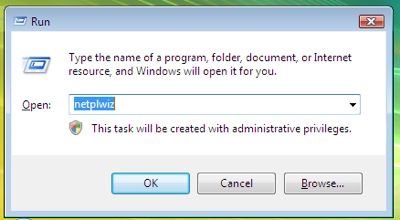
Sering membuka aplikasi lewat menu RUN?,
membuka aplikasi lewat menu RUN menurut gwa lbh simple,asal kita tahu command2 apa aja yang bisa diakses oleh menu RUN tsb.
Ni dia beberapa command/perintah-perintah yang bisa diakses lewat menu RUN.Disini juga ada banyak banget hal2 baru yang bisa temen2 smwa temuin,ada yang unik,freak,dan lucu,bahkan yang belum temen2 kenal/liat sekalipun.Juga ada beberapa command penting yang mempermudah temen2 mengoperasikan komputer temen2 smwa.
Berikut daftar perintah2 *penting* dlm Menu RUN (juga ada untuk Command Prompt) :=
nb:(Sebelah kiri judulnya , sblh kanan codenya(commandnya))
Accessibility Controls - access.cpl
Add Hardware Wizard - hdwwiz.cpl
Add/Remove Programs - appwiz.cpl
Administrative Tools - control admintools
Automatic Updates - wuaucpl.cpl
Bluetooth Transfer Wiz - fsquirt
Calculator - calc
Certificate Manager - certmgr.msc
Character Map - charmap
Check Disk Utility - chkdsk
Clipboard Viewer - clipbrd
Command Prompt - cmd
Component Services - dcomcnfg
Computer Management - compmgmt.msc
Date / Time Properties - timedate.cpl
DDE Shares - ddeshare
Device Manager - devmgmt.msc
Direct X Control Panel - directx.cpl
Direct X Troubleshooter - dxdiag
Disk Cleanup Utility - cleanmgr
Disk Defragment - dfrg.msc
Disk Management - diskmgmt.msc
Disk Partition Manager - diskpart
Display Properties - control desktop
Display Properties - desk.cpl
Display Properties - control color (w/Appearance Tab Preselected)
Dr. Watson - drwtsn32
Driver Verifier Utility - verifier
Event Viewer - eventvwr.msc
File Signature Verification Tool - sigverif
Findfast - findfast.cpl
Folders Properties - control folders
Fonts - control fonts
Fonts Folder - fonts
Free Cell Card Game - freecell
Game Controllers - joy.cpl
Group Policy Editor (XP Prof) - gpedit.msc
Hearts Card Game - mshearts
Iexpress Wizard - iexpress
Indexing Service - ciadv.msc
Internet Properties - inetcpl.cpl
Java Control Panel (If Installed) - jpicpl32.cpl
Java Control Panel (If Installed) - javaws
Keyboard Properties - control keyboard
Local Security Settings - secpol.msc
Local Users and Groups - lusrmgr.msc
Logs You Out Of Windows - logoff
Microsoft Chat - winchat
Minesweeper Game - winmine
Mouse Properties - control mouse
Mouse Properties - main.cpl
Network Connections - control netconnections
Network Connections - ncpa.cpl
Network Setup Wizard - netsetup.cpl
Notepad - notepad
Nview Desktop Manager - nvtuicpl.cpl
(If Installed)
Object Packager - packager
ODBC Data Source Admin - odbccp32.cpl
On Screen Keyboard - osk
Opens AC3 Filter (If Installed) - ac3filter.cpl
Password Properties - password.cpl
Performance Monitor - perfmon
Phone and Modem Options - telephon.cpl
Power Configuration - powercfg.cpl
Printers and Faxes - control printers
Printers Folder - printers
Private Character Editor - eudcedit
Quicktime (If Installed) - QuickTime.cpl
Regional Settings - intl.cpl
Registry Editor - regedit
Registry Editor - regedit32
Remote Desktop - mstsc
Removable Storage - ntmsmgr.msc
Removable Storage - ntmsoprq.msc
Operator Requests
Resultant Set of Policy (XP Prof) - rsop.msc
Scanners and Cameras - sticpl.cpl
Scheduled Tasks - control schedtasks
Security Center - wscui.cpl
Services - services.msc
Shared Folders - fsmgmt.msc
Shuts Down Windows - shutdown
Sounds and Audio - mmsys.cpl
Spider Solitare Card Game - spider
SQL Client Configuration - cliconfg
System Configuration Editor - sysedit
System Configuration Utility - msconfig
System Properties - sysdm.cpl
Task Manager - taskmgr
Telnet Client - telnet
User Account Management - nusrmgr.cpl
Utility Manager - utilman
Windows Firewall - firewall.cpl
Windows Magnifier - magnify
Windows Management Infrastr. - wmimgmt.msc
Windows System Security Tool - syskey
Windows Update Launches - wupdmgr
Windows XP Tour Wizard - tourstart
Wordpad - write
Untuk di Command Prompt(CMD.exe)
[b][u]CMD Commands[b][u]
IP Configuration (Display Connection Configuration) ipconfig /all
IP Configuration (Display DNS Cache Contents) ipconfig /displaydns
IP Configuration (Delete DNS Cache Contents) ipconfig /flushdns
IP Configuration (Release All Connections) ipconfig /release
IP Configuration (Renew All Connections) ipconfig /renew
IP Configuration (Refreshes DHCP & Re-Registers DNS) ipconfig /registerdns
IP Configuration (Display DHCP Class ID) ipconfig /showclassid
IP Configuration (Modifies DHCP Class ID) ipconfig /setclassid
System File Checker Utility (Scan Immediately) sfc /scannow
System File Checker Utility (Scan Once At Next Boot) sfc /scanonce
System File Checker Utility (Scan On Every Boot) sfc /scanboot
System File Checker Utility (Return to Default Setting) sfc /revert
System File Checker Utility (Purge File Cache) sfc /purgecache
System File Checker Utility (Set Cache Size to size x) sfc /cachesize=x
Search
About Me
1.jpg)
- MRMIND
- Hanya sekedar Pria yang ingin berbagi dan juga mengembangkan Ilmu pengetahuannya dalam bidang IPTEK khususnya juga biar GAK GAPTEK..
My Facebook


Masukkan Code ini K1-21E977-5
untuk berbelanja di KutuKutuBuku.com
